Smartwatch Buying Guide: How to Pick One You'll Wear
Choose a smartwatch that works with your phone and fits your daily routine. Then compare comfort, battery, health and fitness features, and the way you want to stay connected.
On this page (9 sections)
- Which phone will your smartwatch connect to?
- What do you want the watch to do each day?
- How important is battery life?
- Will you find it comfortable enough to wear?
- What should you check about the display and controls?
- Which smartwatch features are worth paying attention to?
- How do you compare the options?
- What should you check before buying?
- How do you make the final choice?
A smartwatch buying guide starts with your phone and your daily routine. Choose a model that pairs with your phone, feels comfortable on your wrist, and has the features you will actually use.
Decide what you want it to do before comparing models. A watch for quick notifications and occasional walks has different priorities from one you plan to use for GPS workouts, sleep tracking or music.
This guide walks through the choices in a practical order, from compatibility to fit and battery. For a quick sense of what these devices do day to day, see what a smartwatch can do.
Which phone will your smartwatch connect to?
Check phone compatibility first, including any required apps or accounts. A watch may pair with more than one phone system while offering different features or setup steps across them.
The Garmin vívoactive 5 supports Android and iOS devices. The Galaxy Watch 8 works with Android smartphones, and its maker describes some Galaxy AI features as requiring a compatible Samsung Galaxy phone, the Samsung Health app and a Samsung account.
If you use an iPhone, consider whether you want to stay within Apple's watch and phone pairing options. Read whether a Garmin watch works with an iPhone if Garmin is on your shortlist.
Check the specific model's phone requirements before you buy. Compatibility can affect setup, notifications, health features and which companion app you need.
What do you want the watch to do each day?
Start with the tasks you expect to repeat, not a long feature list. Pick the few functions that would make the watch useful on an ordinary day.
Common priorities include:
- Seeing calls, texts or other notifications at a glance.
- Tracking walks, runs, strength workouts or other activities.
- Recording sleep and reviewing related trends.
- Using GPS while leaving your phone put away.
- Controlling or listening to music.
- Getting reminders or quick help from an assistant.
A feature matters only if it fits your routine and phone setup. For example, the Garmin vívoactive 5 offers more than 30 built-in indoor and GPS sports apps, while the Amazfit Bip 6 lists more than 140 workout modes and built-in GPS.
If you mainly want activity tracking in a smaller, simpler device, compare a smartwatch with a smart band. If you are unsure a watch will add enough to your routine, read who gets the most from a smartwatch.
How to choose a smartwatch for fitness
Choose fitness features around the activities you do, then check whether the watch tracks them in a way you understand. A long list of modes is less useful if your regular sport is missing or the data is hard to review.
For walking and running, look for the activity modes you need and decide whether built-in GPS matters. For varied workouts, check the watch's supported activities and whether you want guided plans, workout feedback or recovery information.
The Garmin vívoactive 5 includes walking, running, cycling, HIIT, swimming and golf among its sports apps. It also offers workout benefit and recovery time features, and Garmin says its health data is intended as a close estimate of tracked metrics.
Choose health and wellness tracking as a way to review patterns, not as a diagnosis. For sleep or health concerns that need medical advice, talk with a health professional.
Do you need built-in GPS?
Built-in GPS is useful when you want a watch to record an outdoor route without your phone. If your phone is usually with you, that feature may matter less than comfort or battery life.
Check whether GPS works with the activities you plan to record. The Samsung Galaxy Watch 8 lists built-in GPS, and the Amazfit Bip 6 describes route tracking with downloadable maps and turn-by-turn directions.
GPS use can affect battery life, so compare the stated runtime for the mode that matches your plans. For more options, see our guide to smartwatches with built-in GPS.
How important is battery life?
Choose a battery that matches your charging habits and feature use. A longer stated runtime can mean fewer charging breaks, but it may depend on settings and how you use the watch.
The Garmin vívoactive 5 is rated for up to 11 days in smartwatch mode, or 5 days with its display always on. The Amazfit Bip 6 is rated for up to 14 days, while the Apple Watch SE 3 is described as having up to 18 hours of battery life.
Those figures describe different products and use claims. Compare the mode you expect to use, especially if you want an always-on display, GPS workouts or frequent notifications.
If charging less often is a priority, compare the options in our smartwatch battery life guide. Keep in mind that your settings and habits can change how often you need to charge.
Will you find it comfortable enough to wear?
Fit and comfort matter because a watch needs to suit your wrist and routine. Case size, band material, weight, closure and how snugly you wear it can all affect whether you want it on throughout the day.
Check the case dimensions and band adjustment range, then think about when you'll wear it. A watch worn during workouts, sleep and work has to feel comfortable across all of those settings.
The listed Garmin vívoactive 5 has a 42 mm case and a silicone band. The Apple Watch SE 3 GPS here is 40 mm, while the Galaxy Watch 8 is described as having a lightweight, snug design.
Use our guide to wearing a smartwatch comfortably for fit pointers. If you can, try on a similar case size before deciding.
What should you check about the display and controls?
Pick a screen and control style you can read and use easily. Compare display type, screen size, buttons and touch controls, then consider where and when you'll glance at it.
An AMOLED display appears in the details for the Garmin vívoactive 5, Galaxy Watch 8 and Amazfit Bip 6. The Bip 6 also describes its display as 1.97 inches, which may appeal if you want a larger screen for quick checks.
Touch controls can be convenient, while physical buttons may be easier to use when your hands are wet or you are moving. The Bip 6 lists both buttons and a touchscreen.
Look at the watch face and text size in person if possible. A screen that looks impressive in a product image may not be the easiest one for you to read at a glance.
Which smartwatch features are worth paying attention to?
Prioritize features you can name a real use for, such as workout tracking, sleep summaries, notifications or music. Extra features can add value when they fit your habits and work with your phone.
The Garmin vívoactive 5 includes sleep score, sleep coaching and nap detection. It also supports downloaded music from Spotify, Amazon Music or Deezer accounts, paired with wireless headphones for phone-free listening.
The Apple Watch SE 3 describes workout tracking, sleep score, notifications, calls and music or podcast listening. The Galaxy Watch 8 includes sleep coaching and a Running Coach, with some features requiring compatible devices, setup or accounts.
Read the conditions attached to any feature you care about. A named function may require a particular app, phone, account, initial setup or an internet connection.
How do you compare the options?
Compare each watch against your own priorities, using the same questions for every model. This keeps a long spec list from making the choice feel more complicated than it is.
| Watch | Consider it if you want | Check before choosing |
|---|---|---|
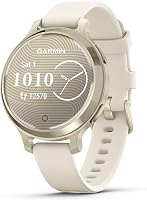
| Garmin vivoactive 5 42mm | Health and fitness features, multiple sports apps, longer stated smartwatch-mode battery life | Whether its size and app setup fit your routine |
| Apple Watch SE 3 GPS 40mm | An iPhone-connected watch with workouts, notifications and safety features | Its stated all-day battery life and phone requirements |
| Samsung Galaxy Watch 8 40mm | An Android watch with sleep coaching, GPS and running guidance | Requirements for specific features and apps |
| Amazfit Bip 6 | A watch with built-in GPS, many workout modes and a longer stated battery life | Phone compatibility, screen size and the features you will use |
These models suit different priorities. Compare the exact phone requirements and feature conditions before deciding.
Garmin vivoactive 5 42mm
The Garmin vivoactive 5 42mm suits someone who wants fitness and health features with a longer stated smartwatch-mode battery life. It includes more than 30 indoor and GPS sports apps and offers up to 11 days in smartwatch mode, or 5 days with the display always on.
Garmin describes sleep coaching, nap detection, Body Battery energy monitoring and workout benefit features. Its health data is intended as a close estimate of tracked metrics.
Apple Watch SE 3 GPS 40mm
The Apple Watch SE 3 GPS 40mm suits an iPhone user who wants workout tracking, notifications and safety features. Apple describes hard-fall and severe-car-crash detection, with help connecting to emergency services and notifying emergency contacts.
Apple describes up to 18 hours of battery life and faster charging than the previous SE generation. Check that the stated battery life fits your charging routine.
Samsung Galaxy Watch 8 40mm
The Samsung Galaxy Watch 8 40mm suits an Android user who wants sleep coaching and running guidance. Its maker describes a Running Coach with real-time feedback and programs for distances from 5Ks to marathons.
Some Galaxy AI features require a compatible Samsung Galaxy phone, Samsung Health and a Samsung account. Check those requirements if you plan to use Energy Score or other connected features.
Amazfit Bip 6
The Amazfit Bip 6 suits someone who wants built-in GPS, a broad selection of workout modes and longer stated battery life. It supports Android 7.0 and above and iOS 14.0 and above.
Amazfit also describes downloadable maps and turn-by-turn directions. Its 1.97-inch AMOLED display is larger than the other screen sizes specified in this guide.
What should you check before buying?
Confirm compatibility, fit and the features you care about before placing an order. A short check now can help you avoid choosing a watch that doesn't suit your phone or routine.
Use this checklist:
- Confirm the watch works with your phone and note required apps or accounts.
- Compare case size and band adjustment with your wrist.
- Pick your top 3 daily uses, then check each model supports them.
- Compare battery claims for the mode you expect to use.
- Check setup needs and any feature limits that matter to you.
- Review return terms in case the fit or setup isn't right.
If water use matters, check the exact model's water rating and intended use. Read our guide to smartwatch water resistance before swimming or wearing one in water.
How do you make the final choice?
Pick the watch that meets your phone, fit and daily-use needs first. Then use battery life, GPS and extra features to break a close tie.
Choose the Garmin vivoactive 5 if you want a range of sports apps and longer stated smartwatch-mode battery life. Choose the Apple Watch SE 3 if its iPhone connection and safety features match your needs.
Consider the Galaxy Watch 8 for Android-based sleep and running features, and the Amazfit Bip 6 for built-in GPS, many workout modes and a longer stated battery claim. Check compatibility and the details of any feature you plan to rely on.
For more options organized by phone, browse our best Android smartwatches guide or best smartwatches for iPhone beyond Apple Watch.
Frequently asked questions
How do I choose the right smartwatch?
Start with phone compatibility, since some watches need a specific phone family or compatible apps.
Then rank your needs, such as notifications, workouts, sleep tracking, GPS or fewer charging breaks. Try on a similar size if you can, and check the band's fit and the watch's return terms before buying.
Do all smartwatches work with iPhones and Android phones?
No.
Compatibility varies by watch, phone and feature.
For example, the Garmin vívoactive 5 supports Android and iOS devices, while the Galaxy Watch 8 is designed for Android phones. Check the exact model's compatibility and app requirements before you choose.
How much battery life should a smartwatch have?
Choose battery life based on how often you want to charge and which features you plan to use. Always-on displays, GPS and other settings can affect runtime, so compare the maker's stated figures for the mode you expect to use rather than assuming one number applies in every setup.
Is built-in GPS worth having in a smartwatch?
Built-in GPS can record an outdoor route without relying on your phone for location.
It matters most if you run, walk or hike with your phone put away. If you usually carry your phone, compare GPS alongside comfort, battery and other features you will use more often.
Should I choose a smartwatch or a fitness band?
Choose a smartwatch if you want wrist notifications, apps or a fuller display alongside activity tracking.
A fitness band may suit you if you mainly want basic movement and sleep tracking in a simpler form. Compare the screen, controls, battery and phone connection against your everyday routine.