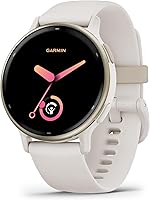
How to Wear a Smartwatch Properly for Comfort and Fit
Wear a smartwatch just above your wrist bone, snug enough to stay in place without pinching. Loosen it when your wrist feels irritated, and adjust the fit for exercise or sleep if needed.
On this page (7 sections)
- Where should you wear a smartwatch on your wrist?
- How tight should a smartwatch band feel?
- Should you loosen your smartwatch at night?
- How can you tell if a smartwatch is too tight?
- Does watch size affect comfort and fit?
- How do you prevent smartwatch skin irritation?
- How do you choose a smartwatch fit that works all day?
Wear a smartwatch just above your wrist bone, snug enough to stay in place without pinching. If it slides around, adjust the band; if it leaves your skin sore or numb, loosen it or take it off.
A comfortable fit matters for more than appearance. A watch that shifts can distract you during the day, while a band that is too tight can irritate your skin.
Where should you wear a smartwatch on your wrist?
Wear the watch just above the wrist bone, toward your elbow, with the watch face resting flat against your skin. This spot usually keeps it from bumping against your hand when you bend your wrist.
Try both wrists and move the watch a little up or down until it feels stable. If you wear it on your dominant hand, make sure it doesn't get in the way of writing, lifting, or other daily tasks.
Many watches let you set which wrist you use and which side the buttons face. Check those settings if the screen or controls feel awkward to reach.
How should you wear a smartwatch properly during exercise?
For workouts, wear the watch securely above the wrist bone so it doesn't shift as you move. It should feel snug, but you should still be able to move your wrist comfortably.
After exercise, loosen the band or take off the watch while you cool down and dry your skin. Sweat and trapped moisture can make a snug band feel uncomfortable.
If you use your watch for workout tracking, see what a smartwatch can do day to day to understand the features you may want within easy reach.
How tight should a smartwatch band feel?
A properly fitted band holds the watch in place without pressing hard into your skin. As a simple check, see whether you can slide a finger beneath the band without forcing it.
The best fit can change with heat, activity, and the band material. Recheck it if your wrist feels swollen, the band leaves deep marks, or the watch slides toward your hand.
A silicone band may suit you if you want a flexible option for workouts. The Garmin Lily 2 Active comes with a silicone band and a buckle closure.
This may suit you if you prefer a smaller watch and want built-in GPS for outdoor activities. Look at the smartwatch buying guide if you're still choosing a watch size and style.
Should you loosen your smartwatch at night?
Loosen the band at night if a close fit feels uncomfortable while you sleep. If you want to track sleep, keep the watch steady without tightening it enough to leave painful marks.
Give your wrist a break if you notice redness, itching, or tenderness. Remove the watch, let your skin recover, and clean and dry both your wrist and the band before wearing it again.
The Garmin vivoactive 5 includes sleep score, sleep coaching, and nap detection features. Its silicone band has a buckle closure, which can help you adjust how snugly it sits.
Choose it if you want sleep features and a band you can secure with a buckle. For a different style and phone pairing, compare smartwatches for iPhone besides Apple Watch.
How can you tell if a smartwatch is too tight?
A smartwatch is too tight if it pinches, feels painful, or leaves marks that don't fade soon after removal. Tingling or numbness is another sign to take it off and loosen the band.
A little movement is normal, but the watch shouldn't slide repeatedly over your wrist bone. Adjust the band one notch at a time and try bending your wrist before deciding it feels right.
A 40mm case may be a fit to consider if a larger watch feels bulky. The Samsung Galaxy Watch 8 40mm is described as having a lighter, snug design for all-day comfort.
This watch pairs with Android phones. If you plan to wear a watch around water, read smartwatch water ratings explained and check the guidance for the specific watch.
Does watch size affect comfort and fit?
Yes. A watch that feels too large or heavy can bump your hand or catch on sleeves, while a smaller face may feel less intrusive on a narrow wrist.
Case size is only one part of comfort. The band, how the case sits against your wrist, and where you place it all affect how the watch feels during movement.
The Apple Watch SE 3 GPS 40mm has customizable faces and bands in different colors, styles, and materials. That gives you choices when you want to adjust the look and feel.
This model works with an iPhone or Wi-Fi for connectivity. If you're comparing phone compatibility, see how to pair an Apple Watch to an iPhone.
How do you prevent smartwatch skin irritation?
To reduce irritation, keep your wrist and band clean and dry, especially after exercise or exposure to water. A damp or dirty band can feel uncomfortable against your skin.
Don't wear the watch over lotion or sunscreen that hasn't dried. If your skin stays irritated, stop wearing the watch until it feels better and consider whether the band material or fit is the cause.
Make sure the band isn't so tight that it traps moisture. If irritation keeps returning, try a different band material or wear the watch on the other wrist.
How do you choose a smartwatch fit that works all day?
Choose a fit that stays steady without distracting you, then check it again for workouts, sleep, or hot weather. If the watch pinches, shifts often, or irritates your skin, adjust its position or loosen the band.
A buckle-style silicone band can give you simple fit adjustments, while your preferred case size and wrist orientation affect how the watch feels throughout the day. Pick a watch you can wear comfortably for the activities you care about.
For a smaller case and silicone band, consider the Garmin Lily 2 Active. If you're deciding whether a watch fits your routine at all, read whether smartwatches are worth it.
Frequently asked questions
How tight should a smartwatch be?
A smartwatch should stay in place without squeezing your wrist or leaving lasting marks. You should be able to slide a finger beneath the band, though the fit can vary by band style and activity.
Loosen it if your skin feels sore, itchy, numb, or unusually warm.
Should a smartwatch sit above or below the wrist bone?
Wear the watch just above the wrist bone, toward your elbow, where it can sit flat and move less. For workouts that use wrist sensors, a snug fit above the bone may help keep the watch steady.
Avoid tightening it so much that it pinches or restricts movement.
Can I wear a smartwatch while sleeping?
You can wear a smartwatch to track sleep if its fit feels comfortable overnight. Keep the band secure enough that the watch won't slide around, but loosen it if pressure or irritation wakes you.
Clean and dry the skin and band regularly, especially after exercise.
Should I wear my smartwatch on my dominant hand?
Wear it on whichever wrist feels more comfortable. Many people choose the non-dominant wrist to keep the watch out of the way during writing and other tasks, but your preference matters most.
Set the watch's wrist orientation correctly so its controls and tracking work as expected.