How Long Do Smartwatches Last Before You Replace One?
A smartwatch often lasts about 2 to 5 years, but battery wear, software support, damage, and your needs can shorten or extend that span. Replace it when a repair costs too much or it no longer does the jobs you rely on.
On this page (8 sections)
- How long do smartwatches last in everyday use?
- What usually wears out first?
- Can you extend a smartwatch's useful life?
- Should you repair or replace an aging smartwatch?
- Which smartwatch battery styles fit different routines?
- How do battery claims relate to a watch's lifespan?
- When should you replace a smartwatch?
- What is the lifespan of a smartwatch for your needs?
A smartwatch often lasts about 2 to 5 years, but battery wear, software support, damage, and your needs can shorten or extend that span. Replace it when repair costs outweigh the value or it no longer does the jobs you rely on.
The calendar is only a rough guide. A watch that still charges reliably, pairs with your phone, and handles your daily tasks can remain useful, while a newer one may need replacing sooner after damage or a major change in your needs.
How long do smartwatches last in everyday use?
Many smartwatches stay useful for roughly 2 to 5 years. That range describes a practical replacement window, not a fixed lifespan for every model or user.
Battery capacity gradually declines with use and time. A watch that once lasted through a full day may eventually need a midday charge, making it less useful even if its screen and sensors still work.
Software support also matters. If an older watch stops receiving needed updates or loses compatibility with your phone, some features may become less reliable or unavailable.
The way you wear and charge a watch affects its condition, too. Follow the care instructions for your model, protect it from impacts, and use charging equipment approved by its manufacturer.
What usually wears out first?
Battery performance is often the first practical limit because a watch that won't last through your routine can be hard to depend on. A cracked screen, damaged buttons, or unreliable charging can also make replacement necessary.
Think about what has changed:
- Battery: You need more frequent charging, or it no longer lasts through the hours you need it.
- Charging: The watch charges inconsistently even after checking the charger and connection.
- Screen or controls: Damage makes it hard to read or use.
- Phone connection: The watch no longer works well with your current phone.
- Software: Needed apps, features, or security updates are no longer supported.
- Your routine: You need functions the watch doesn't offer.
A single inconvenience doesn't always mean the watch is at the end of its life. Check its settings, update it if supported, and review the maker's troubleshooting and repair guidance before deciding.
Can you extend a smartwatch's useful life?
You can reduce avoidable wear with careful charging, cleaning, and handling. These habits won't stop a battery from aging, but they can help prevent damage and keep the watch comfortable to use.
Use the charger and charging method recommended for your model. Keep the charging area free of moisture and debris, and avoid exposing the watch to temperatures outside the maker's guidance.
Clean the case and band as instructed, especially after sweat or water exposure. Check the watch's specific water guidance before swimming or rinsing it, since water resistance can vary by model and may change over time.
Fit also affects daily comfort. Our guide to how to wear a smartwatch properly explains how to position it without making the band too tight.
Does charging overnight shorten a smartwatch's life?
Follow your watch's charging guidance rather than assuming every model handles charging the same way. Some watches include charging features intended to manage everyday use, but the details depend on the model.
If you notice unusual heat, a damaged cable, or a swollen battery, stop charging and contact the manufacturer or an authorized service provider. Don't open or puncture the watch.
Should you repair or replace an aging smartwatch?
Compare the repair cost, expected usefulness, and compatibility before replacing a watch. Repair may make sense if the watch otherwise fits your routine and the maker offers a suitable service.
Check whether the watch still pairs with your current phone and supports the apps or features you depend on. If it does, a battery or screen repair may extend its use; if core features or phone compatibility are lost, replacement may be more practical.
Don't judge only by the watch's age. A newer model can still be a poor fit if it lacks a feature you rely on, while an older watch can be a good fit if it works reliably.
For help weighing the value of a replacement, see are smartwatches worth it?. If you do decide to shop, our smartwatch buying guide walks through the main choices.
Which smartwatch battery styles fit different routines?
Choose a watch whose charging pattern suits your day. A model that needs frequent charging may still fit well if you charge on a regular schedule, while longer claimed battery life may suit people who prefer fewer charging breaks.
The Apple Watch SE 3 GPS 40mm is described with up to 18 hours of battery life and fast charging. It may suit an iPhone user who wants health, workout, and safety features and is comfortable charging daily.
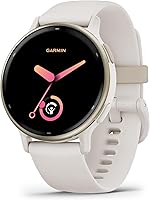
The Garmin vivoactive 5 is described with up to 11 days in smartwatch mode, or 5 days with its display always on. That longer stated interval may suit someone who wants fewer charging stops and uses its health and fitness tools.
The Garmin Instinct 3 Solar 45mm is described as having unlimited battery life in smartwatch mode with solar charging under the stated outdoor-use conditions. It may suit an outdoor routine that regularly includes time outside, though the solar estimate depends on those conditions.
The Samsung Galaxy Watch 8 40mm is described as having an improved battery for daily use, but no number of days is given here. It may suit an Android user who wants sleep coaching, running guidance, and health tracking in a lighter design.
These battery statements describe manufacturer claims, not a guarantee of how long your own watch will last between charges. Settings, phone connection, sensors, and use can affect battery life.
How do battery claims relate to a watch's lifespan?
Battery life per charge and total watch lifespan are different measures. A watch that lasts several days between charges doesn't necessarily last more years than one that needs daily charging.
Longer time between charges can make a watch easier to use, especially when traveling or spending time outdoors. Total lifespan still depends on battery aging, physical condition, support, and whether the watch continues to meet your needs.
Compare a watch's battery claim with your actual routine. Our guide to smartwatches with long battery life covers models for people who want fewer charging stops.
When should you replace a smartwatch?
Replace a smartwatch when it becomes unreliable, unsafe to charge, unsupported for your needs, or poor value to repair. If it's working well and still fits your routine, there is no need to replace it simply because it has reached a certain age.
Use this decision rule:
- Keep it if it charges normally, works with your phone, and covers your daily needs.
- Repair it if a specific fix is available and costs less than replacing the watch.
- Replace it if the battery, screen, connection, or support problems interrupt the tasks you depend on.
If you're unsure which features matter most for your next watch, start with what a smartwatch does day to day. Pick a new model only when it solves a problem your current watch can't.
What is the lifespan of a smartwatch for your needs?
Plan on about 2 to 5 years as a rough replacement window, then judge the watch by how reliably it works. Battery trouble, lost phone compatibility, damage, and unavailable support are stronger signals than age by itself.
Keep a watch that still suits your routine. Consider repair when one fix can restore its usefulness, and compare the smartwatch buying guide when its limits are getting in your way.
Frequently asked questions
What is the lifespan of a smartwatch?
Many smartwatches remain useful for about 2 to 5 years, though battery wear, support for software updates, physical damage, and changing needs affect the timing. A watch may last longer if it still charges reliably, works with your phone, and handles the features you use.
How do I know when to replace my smartwatch?
Replace a smartwatch when its battery no longer lasts through your normal day, key features stop working, it no longer pairs with your phone, or repair is poor value. If it still meets your needs and charges safely, age alone is not a reason to replace it.
Can a smartwatch battery be replaced?
Battery replacement depends on the watch model, its condition, and the service options available in your region. Check the manufacturer's current repair guidance and compare the repair cost with a replacement before deciding; don't try to open a sealed watch unless the maker's instructions allow it.
Does a smartwatch last longer if I turn off features?
Turning off features such as always-on display, frequent notifications, or continuous sensors may reduce how often you need to charge some watches. Less charging can make daily use easier, but it doesn't stop normal battery aging or protect the watch from damage.