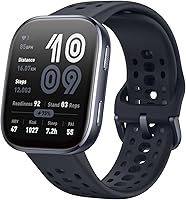
Apple Watch SE 3 vs SE 2nd Gen: Which to Buy? (November 2026)
The Apple Watch SE 3 wins for most buyers because it adds temperature sensing, sleep score, sleep apnea notifications and faster charging. Pick the SE 2nd gen only if you want the lowest-cost way into core Apple Watch basics and don't need those health extras.
On this page (10 sections)
- Apple Watch SE 3 vs SE 2nd gen in one minute
- What the SE 3 adds over the SE 2nd gen
- Battery life and charging compared
- Case size and fit: 40mm or 44mm
- Safety features on both watches
- Water resistance and daily wear
- Setup and iPhone compatibility
- Who should buy the SE 3?
- Who should buy the SE 2nd gen?
- Verdict: which Apple Watch should you buy?
The Apple Watch SE 3 wins this comparison for most buyers. In the apple watch se 3 vs se 2nd gen decision, the newer model adds health features and faster charging that the older watch simply does not have.
The SE 3 brings temperature sensing, a sleep score, sleep apnea notifications and charging about twice as fast as the SE 2. The SE 2nd gen covers the core Apple Watch basics at the entry price.
This comparison sticks to what the product data shows. It covers health tracking, battery and charging, case size and the safety features both watches share.


Apple Watch SE 3 vs SE 2nd gen in one minute
Choose the SE 3 for health insights and quick top-ups; choose the SE 2nd gen for the essentials at the lowest cost. The gap between them is mostly in what the watch tells you about your body and how fast it refills.
The SE 3 GPS comes in 40mm and 44mm sizes. The SE 2nd gen here is the 40mm Midnight Aluminum model with a Midnight Sport Band.
Both watches handle calls, texts, music, Siri and notifications through your iPhone or Wi-Fi. Both include Fall Detection, Crash Detection and Emergency SOS.
That shared base is why the SE 2nd gen still makes sense for someone who wants a watch first and a health tracker second.
The deciding features sit on the SE 3. Temperature sensing feeds the Vitals app and Cycle Tracking app.
Sleep score and sleep apnea notifications round out the sleep picture.
If you sleep in your watch and want more than a basic sleep duration reading, the SE 3 is the model to pick.
What the SE 3 adds over the SE 2nd gen
The SE 3 adds temperature sensing, Vitals app insights, a sleep score and sleep apnea notifications. These are the features that separate the newer watch from the older one.
The SE 2nd gen covers heart rate monitoring, irregular rhythm notifications and unusually high or low heart rate alerts. It also tracks sleep time and runs the Workout app with advanced metrics.
The SE 3 keeps all of that and builds on it. Apple says temperature sensing enables insights in the Vitals app and the Cycle Tracking app.
Sleep score and sleep apnea notifications are the other headline additions. For anyone who wants their watch to comment on recovery and rest, that is the upgrade that counts.
Workout tracking also gets a boost. The SE 3 lists Workout Buddy for real-time metrics and goals like 10K steps a day.
The SE 2 has the Workout app and three months of Apple Fitness+ free. It covers running, strength training and the rest, just without the newer workout companion feature.
Sleep and recovery features in detail
Sleep is where the SE 3 pulls furthest ahead. It adds a sleep score and sleep apnea notifications, which the SE 2nd gen does not list.
Temperature sensing feeds both the Vitals app and the Cycle Tracking app. That gives the SE 3 a broader view of your overnight state than a simple sleep duration figure.
The SE 2 tracks sleep time and offers irregular rhythm and heart rate alerts. It stops short of scoring your night or flagging possible sleep apnea.
Anyone who treats sleep as a training input should lean toward the SE 3. The SE 2 remains fine if sleep tracking is a nice extra rather than a priority.
Fitness tracking on both watches
Both watches track workouts, but the SE 3 lists Workout Buddy and the SE 2 lists advanced workout metrics with Apple Fitness+ included for three months.
For everyday activity, the SE 2 covers steps, calories and the rings. The SE 3 adds real-time metrics and goal prompts through Workout Buddy.
Neither watch is a dedicated sports watch. If you train seriously with heart rate zones and long GPS sessions, a Garmin-style device may fit better.
Battery life and charging compared
The SE 3 runs all day with 18-hour battery life and charges about twice as fast as the SE 2. The SE 2 does not publish a matching charge-time figure, but the difference Apple highlights favors the newer watch.
Apple says the SE 3 gives up to 8 hours of battery in just 15 minutes. That short top-up matters if you wear the watch overnight for sleep tracking and want it ready for a morning workout.
Both watches still need a daily charge. An 18-hour rating means a charge most nights, especially with GPS workouts or always-on features in play.
The SE 2's charging is slower by comparison. If your routine includes a quick shower-time top-up before bed, the SE 3's speed is the more useful feature.
Charging habits that suit each watch
With the SE 3, charge while you get ready in the morning or evening. Fifteen minutes gets you up to 8 hours, which covers a night of sleep tracking or a day of wear.
With the SE 2, plan a longer charging window. A nightly charge while you sleep is the simplest routine, though you then miss overnight sleep data.
The SE 3's faster charging pairs better with wearing the watch overnight. That is exactly when its sleep score and temperature insights do their work.
Case size and fit: 40mm or 44mm
The SE 3 comes in 40mm and 44mm; the SE 2nd gen here is a 40mm. Pick your size by wrist width and how easy you want the screen to read, not by feature set.
The 40mm SE 3 weighs 9.6 ounces and the 44mm weighs 8.6 ounces, as the product data lists them. Check those figures against how the watch feels on your wrist before ordering.
The SE 2nd gen Midnight Aluminum model has an 8.4-ounce listed weight. Its 40mm case matches the smaller SE 3 for footprint.
If you have a slim wrist, the 40mm is the safer fit in either generation. The 44mm SE 3 gives you a larger display, which helps if reading notifications matters more than a low profile.
Picking the size for your wrist
Measure your wrist with a strip of paper or a soft tape. A 40mm case sits more proportionately on wrists under about 170mm.
The 44mm suits larger wrists and readers who want bigger text and icons. It is the same watch inside, just in a bigger shell.
Try a paper cutout of each case against your wrist before you order. That is faster than returning a watch that feels too big.
Safety features on both watches
Both the SE 3 and SE 2nd gen include Fall Detection, Crash Detection and Emergency SOS. The safety core is unchanged between the two generations.
The SE 2 automatically notifies loved ones when you arrive at a destination with Check In. It also flags irregular heart rhythms and unusually high or low heart rates.
The SE 3 keeps the same safety set and adds the health insights above. Crash Detection can connect you with emergency services and notify your emergency contacts.
These features are not a substitute for a phone or a medical device. They are backup layers that make a watch worth wearing on a solo run or a commute.
Water resistance and daily wear
Both watches are rated to 50m water resistance, so pool swimming and everyday splashes are fine. Neither is built for scuba diving or high-speed water sports.
The SE 2 lists a color-matched back case made with a production process that reduces carbon emissions. Apple calls it carbon neutral when paired with select bands.
The SE 3 lists dozens of customizable faces and a wide range of bands. Both watches let you swap straps to suit a workout or a night out.
If you want to know how water affects a watch over time, our guide on whether you can swim with an apple watch covers the practical limits. Pair that knowledge with the 50m rating on both models here.
For anyone deciding between ecosystems first, our apple watch vs galaxy watch comparison helps you choose the right phone partner before picking a model.
Setup and iPhone compatibility
Both watches need an iPhone to set up and pair. The SE 2nd gen works with an iPhone Xs or later on iOS 17 or later, and you should confirm the SE 3 against the same baseline before ordering.
Pairing runs through the Watch app on your phone. Our walkthrough on how to pair an apple watch to iphone takes you through the steps.
Once paired, both watches work with your Mac automatically, help you find your devices and support Apple Pay. The SE 3 adds Siri AI, which is rolling out in English with usage limits.
Family Setup is another shared option. The SE 2 lists Apple Watch for your kids, letting someone without their own iPhone stay connected.
The SE 3 keeps the same connected family approach.
Who should buy the SE 3?
Buy the SE 3 if you want sleep and recovery insight, faster charging or Siri AI. It is the better fit for readers who wear a watch overnight and train most days.
The SE 3's temperature sensing and Vitals app give it a health angle the SE 2 lacks. Add the sleep score and sleep apnea notifications and it becomes the obvious pick for sleep-focused buyers.
Faster charging is the quiet win. Up to 8 hours of battery in 15 minutes means a short top-up fits almost any morning routine.
Choose the 40mm if your wrist is slim. Choose the 44mm if you want a bigger screen for reading messages and workout stats.
Siri AI is a bonus if you like asking a watch for recipes or post-workout stretch ideas. It is rolling out in English and usage limits may apply, so treat it as an extra rather than the reason to buy.
Who should buy the SE 2nd gen?
Buy the SE 2nd gen if the basics are all you need and you want the entry model. It still handles calls, texts, music, workouts, heart rate alerts and crash detection.
The SE 2 remains a strong first Apple Watch. Its 40mm Midnight Aluminum case and Midnight Sport Band make it an easy everyday wear.
Check In, irregular rhythm notifications and the full safety set are all present. So is the Workout app and three months of Apple Fitness+ free.
If you charge your watch overnight and don't care about a sleep score, the SE 2's missing sleep features won't bother you. The same goes for temperature sensing and Vitals insights.
Skip the SE 2 if you plan to wear the watch to bed or want faster charging. Those are the two areas where the SE 3 pulls clearly ahead.
If you're also weighing the step-up model, our apple watch se 3 vs series 9 comparison shows where the SE 3 stops and the Series 9 goes further.
Verdict: which Apple Watch should you buy?
Buy the Apple Watch SE 3 for most people, because its health and charging upgrades make it the more useful watch day to day. This apple watch se 3 vs se 2nd gen verdict comes down to whether sleep insight matters to you.
Pick the SE 3 GPS 40mm if you have a slimmer wrist. Pick the SE 3 GPS 44mm if you want a bigger display and your wrist can carry it.
Pick the SE 2nd gen only when the basics are enough and you charge overnight. It covers calls, workouts, heart alerts and safety features without the newer health additions.
Our score weighs specs, features and how each watch fits what a buyer wants. The SE 2nd gen scores 9.6 for value as the entry model, while the SE 3 models score 9.1 and 8.7 for their added features.
Read the specs against your own habits, then choose the watch that matches how you sleep and train. The SE 3 is the model we would pick for most readers.
Frequently asked questions
Does the Apple Watch SE 2nd gen track sleep?
It tracks sleep time through watchOS, but it does not offer the sleep score or sleep apnea notifications that the SE 3 adds. If detailed sleep insight is your main reason for buying, the SE 3 is the model to choose.
What iPhone do I need for either watch?
The Apple Watch SE 2nd gen works with an iPhone Xs or later running iOS 17 or later. Check the SE 3 against the same requirement before you order, then pair the watch through the Watch app on your phone.
Should I pick the 40mm or 44mm SE 3?
Pick the 40mm for a slimmer wrist or a lighter feel, and the 44mm for a bigger screen that is easier to read. Try a paper cutout of each case size against your wrist before ordering, since both share the same features.